Send an SOS. Share your location. Completely free of charge. Forever. For everyone.
Help Me Now lets you send emergency alerts, share your GPS location and keep the people who can help informed when you need support.
The Foundation app and all its features are completely free of charge, forever and for everyone. Born to stand against gender-based violence, built for anyone who needs help.
Foundation €0. No subscription. Optional hardware is a one-time purchase. No recurring Help Me Now fees.
What you can do. All included. All free of charge.
Two levels of alarm, live location, daily reassurance and clear ways to communicate. These are the Foundation’s current app features — completely free of charge, now and always. Use them from your phone; wearables are optional.
Help Me Now Foundation
€0
The complete Foundation. No subscription.
All the app features listed here remain free of charge forever. Optional hardware is a one-time purchase. No recurring Help Me Now fees.
Every feature is explained below as you scroll. Location updates and alert delivery depend on app settings, permissions and the available connection.
How it works
Set up your app. Know what happens when you use it.
Start with your phone and the people you trust. Add a wearable when a physical SOS control or independent device better suits your needs.
01
Set up your app
Download Help Me Now, review the tutorial and configure the permissions and safety actions you want to use.
02
Choose your Helpers
Add trusted contacts and agree how they should follow up. Review their details and the alert channels together.
03
Connect your wearable
If you choose a device, set up its supported phone, gateway or cellular route and check the connection.
04
Keep support close
Request assistance, communicate and share available position information. Use timers and check-ins for everyday reassurance.
Foundation · Free of charge forever
Two alarm levels. Two different messages.
Original Help Me Now home screen. HELP · Notify Helpers · Timer · I’m Alive
MAXIMUM ALARM · HELP
“I’m in immediate danger.”
Use the maximum alarm when you are in urgent danger and need help now. The HELP action alerts all your Helpers, including anyone excluded from your non-emergency sharing. The configured channels carry the request and your available location so they know to follow up urgently.
MINIMUM ALARM · NOTIFY HELPERS
“I may be in a dangerous situation.”
Use the minimum alarm when you think a situation could become dangerous and want your Helpers to know. Notify Helpers sends a warning so they can get in touch, understand what is happening and be ready to support you.
Configure recipients and alert preferences in advance. Follow the current in-app instructions for activation and confirmation. The interface shown comes from company materials; appearance may vary by version.
What happens after you ask for help?
01
You send the request
Use the assistance action that fits the situation. Your chosen contacts and alert preferences are configured in advance.
02
Your Helpers are notified
The configured app, SMS or email channels carry the request and available location information, according to your setup.
03
They get the context
Connected Helpers can review the information shared with them, check the available position and call or message you.
04
People follow up
Your Helpers assess the situation with you. If urgent assistance is needed, they can contact the appropriate local services.
An app is not required to receive configured SMS and email alerts.
A Helper does not need the app
SMS and email. Even without Help Me Now installed.
Add your Helper’s contact details and configure the SMS and email options. They can receive those notifications through their normal messaging or email service without installing the app.
App-based chat and maps require app access. SMS and email delivery depend on valid contact details, permissions, the chosen settings and the available services.
Foundation · Quick emergency call
Call the emergency number. Speak directly to an operator.
Start the call yourself and speak to the emergency operator.
Use the app’s quick-call action to start a telephone call to the appropriate local emergency number. Confirm the call if your phone asks, then explain what is happening and follow the operator’s instructions.
You make the call and speak with the emergency operator. This uses your phone and its available telephone service; sending an app alert does not establish that emergency services have received or accepted a case.
Inside the no-cost app · Location
Make your position part of the conversation.
A shared GPS position helps your Helpers understand where support is needed. The map brings available location, the assistance alert and your Protected contacts into one view.
GPS location & maps · no-cost Foundation
See where your people are. When they share their location.
If you are someone’s Helper, their shared position can appear on your map. Your Protected list brings together the people you have agreed to support. For non-emergency sharing, the person can choose which Helpers see their position.
01
The person shares their position
They activate location sharing or use an assistance action that shares available location.
02
You see it on your map
Follow the available position as it updates. The map and contact information help you identify who may need support.
03
Check the time. Get in touch.
Review when the position was updated, then call or message the person to understand what is happening.
Location may be approximate or last known. Updates require the appropriate permissions, an active supported app or device and an available connection. Routine sharing follows the person’s selected Helpers. Maximum alarm is different: all their Helpers are notified, including those excluded from routine sharing.
Original app screen from the company materials. Map · Alert banner · Protected contacts
Show what happened. Keep the conversation together.
A photo, a voice message or a file can explain what a short alert cannot. Share relevant information with your connected Helpers, then return to the conversation and its history.
File Manager
Photo, video, voice and location — shared in one conversation.
Send media with your location.
Use the app’s file and media tools to capture or share a photo, a short video, a voice message or a supported file in chat with your connected Helpers. Available location can accompany the information according to the action and settings.
Choose the supported media or file.
Share it in the relevant conversation.
Keep the context with the messages around it.
The available formats and controls depend on your app version. App memory can be managed through the available settings.
Your actions & your Helpers’ actions
Your actions and your Helpers’ actions, in chronological order.
A chronological record. For you and your Helpers.
Review the actions you and your connected Helpers perform in the app, with their date and time. The conversation records the sequence of alerts, shared updates, messages and follow-up actions available to you.
Your profile also provides your action history. Return to the sequence to understand what happened and when, within the relationships and information shared with you.
Profile & preferences
Set your contacts, sharing choices and app preferences.
Manage contacts, language and preferences.
Manage your profile, Helpers and Protected relationships. Choose who receives non-emergency updates, review GPS and SMS preferences, and select the available language and appearance settings. Maximum alarm still notifies all your Helpers.
Keep contact details current and understand the settings together with the people who may receive your alerts. The app also provides access to its tutorial, support and privacy information.
Service messages & advertising
Service updates, public-interest information and possible advertising.
Service updates and advertising in the app.
Help Me Now can use its app communication area for service updates, practical tips, public-interest information and advertising messages.
These messages are part of the app experience. The Foundation’s core safety functions remain free of charge forever; optional hardware is a one-time purchase, with no monthly or annual Help Me Now fee.
Your trusted Helpers
Your Helpers. Your choices.
A Helper is someone you choose to support you: a relative, friend or caregiver. In the app, your Helpers support you; your Protected contacts are the people you have agreed to support.
Everyday sharing stays personal.
You can exclude individual Helpers from non-emergency functions and location sharing. For example, share your position with friends while leaving your parents out of that everyday map view.
This lets you keep your support network in place while deciding who sees your routine updates. Review the sharing options in the app with the people involved.
Maximum alarm · HELP
In immediate danger, all your Helpers are notified.
A maximum alarm notifies everyone in your Helpers list, including people excluded from non-emergency sharing. Everyday sharing preferences do not exclude them from this urgent alert.
Agree how your Helpers should follow up. Notification delivery depends on your configuration and connection; it does not confirm that someone has read the alert or can respond.
Two situations. Different recipients.
Non-emergency location sharing
You share your position
↓
✓FriendsSelected: see your location
−ParentsExcluded from this sharing
Maximum alarm · HELP
You send the urgent alarm
↓
✓FriendsNotified
✓ParentsAlso notified
All your Helpers. Even those excluded above.
Illustrative sharing choices. Set up your own Helpers and contact channels in the app.
Everyday reassurance
A time to check back in. A reason to follow up.
Safety Timer is for a defined period: agree when someone should hear from you, then set your countdown. For a regular wellbeing confirmation, I Am Alive is explained next.
Set → Confirm → Follow upYou choose the time. Your Helpers know when to check on you.
Safety Timer · no-cost Foundation
Set your time. Remember to check back in.
01
Set the countdown
Choose the time window for a period when you want an agreed follow-up.
02
Deactivate it when you are safe
End the timer before it expires to confirm that the planned check-back is complete.
03
A missed confirmation prompts attention
If it expires, configured Helpers can be notified with your last available location so they know to contact you.
Set your timer in advance. If danger becomes immediate, use the maximum alarm or contact local emergency services when you can. A timer alert prompts your Helpers to follow up; it does not establish what has happened.
I Am Alive · Daily wellbeing check-in
Let them know you’re okay.
A simple confirmation from you. Reassurance for the people who care about you. If the expected confirmation is missed, your configured Helpers can be notified so they know to contact you.
A missing check-in matters.Your configured Helpers can be notified to contact you.
I Am Alive · no-cost Foundation
An agreed routine. A confirmation from you.
01
Choose who should follow up
Set up your trusted Helpers and agree who will contact you if a confirmation is missed.
02
Set your check-in routine
Choose the daily or periodic arrangement supported by your app settings. Make sure the people involved know when a confirmation is expected.
03
Confirm that you are well
Use the I’m Alive action to make your check-in. A short confirmation keeps that personal connection open.
04
Follow up if the confirmation is missing
According to the configuration, your Helpers can be notified when you have not checked in. They can then call or message you and decide what support is needed.
The check-in is your confirmation, not an automatic medical measurement. A missing confirmation is a reason to contact you; it does not itself establish an emergency or dispatch a responder.
For people living alone, older people, families and anyone who wants a regular connection: agree the routine together while respecting the person’s independence. I Am Alive is open to everyone.
Three tools. Three different purposes.
How I Am Alive differs from SOS and Safety Timer
Safety tool
What it is for
What you do
SOS
Requesting assistance when you need help.
Activate the appropriate assistance action in the app or through a supported device.
Safety Timer
Extra reassurance for a defined period.
Set a countdown and deactivate it in time. If it expires, the configured contacts can be notified.
I Am Alive
A daily or periodic confirmation of wellbeing.
Make the expected check-in. A missing confirmation can prompt your Helpers to follow up.
Our origins. Our purpose.
Born to stand against gender-based violence. Here for anyone who needs help.
Help Me Now began as a social project against gender-based violence, helping people at risk ask for support. That commitment remains at its heart, with a purpose that now reaches anyone who needs assistance, reassurance or a closer connection to trusted people.
People face different risks, but the ability to ask for support should be accessible to everyone. That is why the Foundation remains free of charge forever: the social purpose comes first, with optional equipment for people who want another way to reach their network.
Who Help Me Now is for
Personal safety. For the way you live.
Different ages, different routines, the same need to stay connected to people who care. Help Me Now puts the individual and their trusted network at the centre.
When you need help. Someone should know.
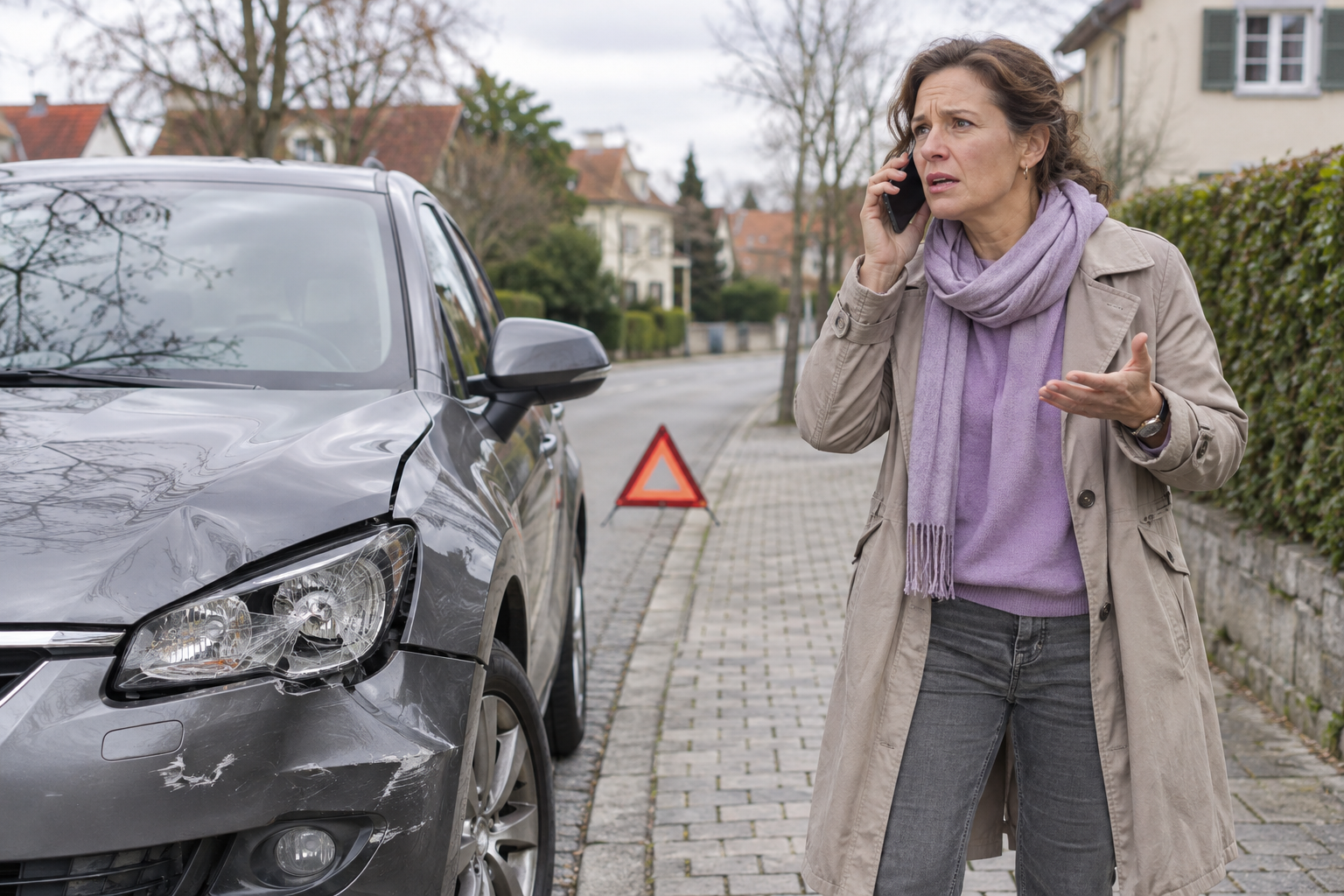
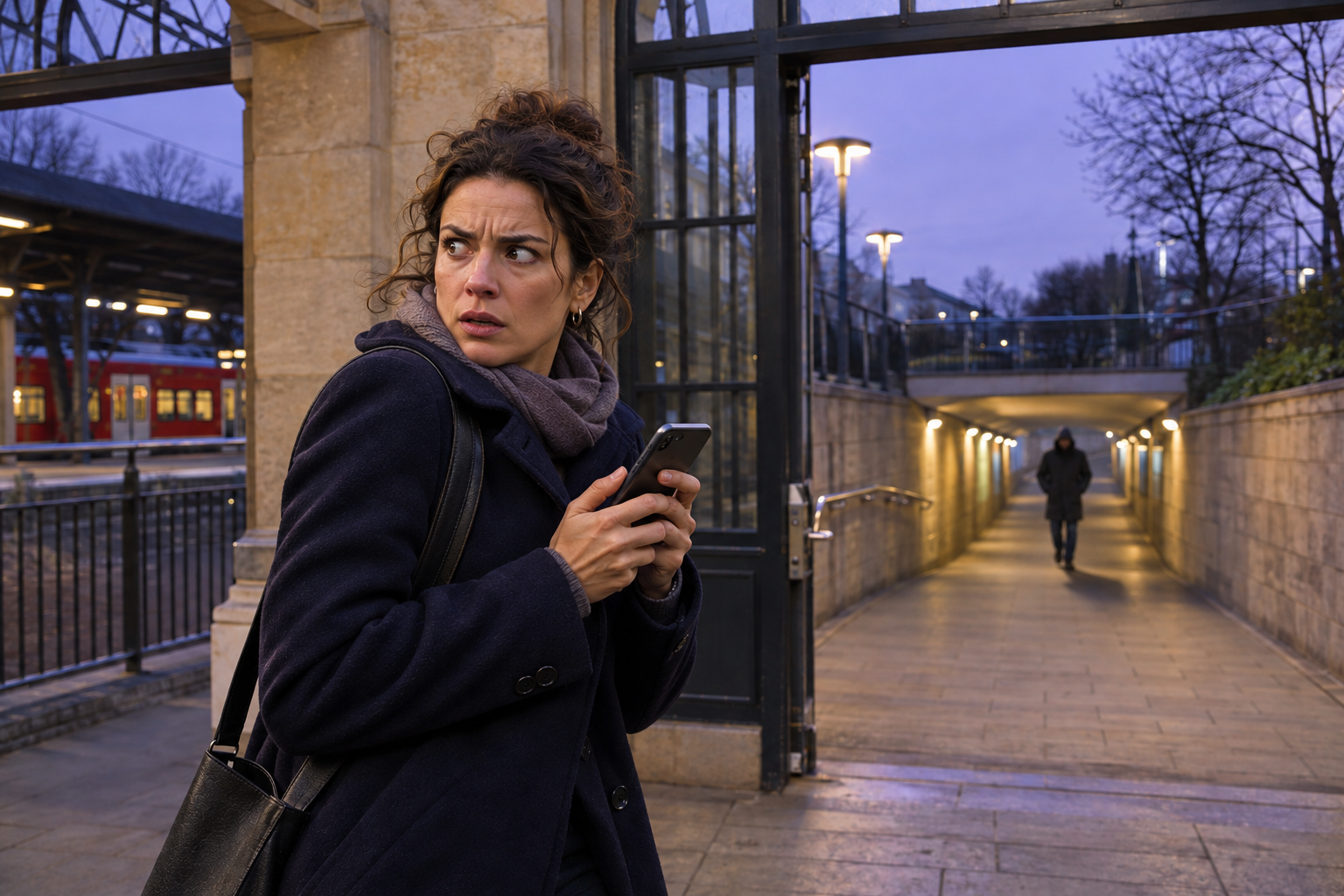
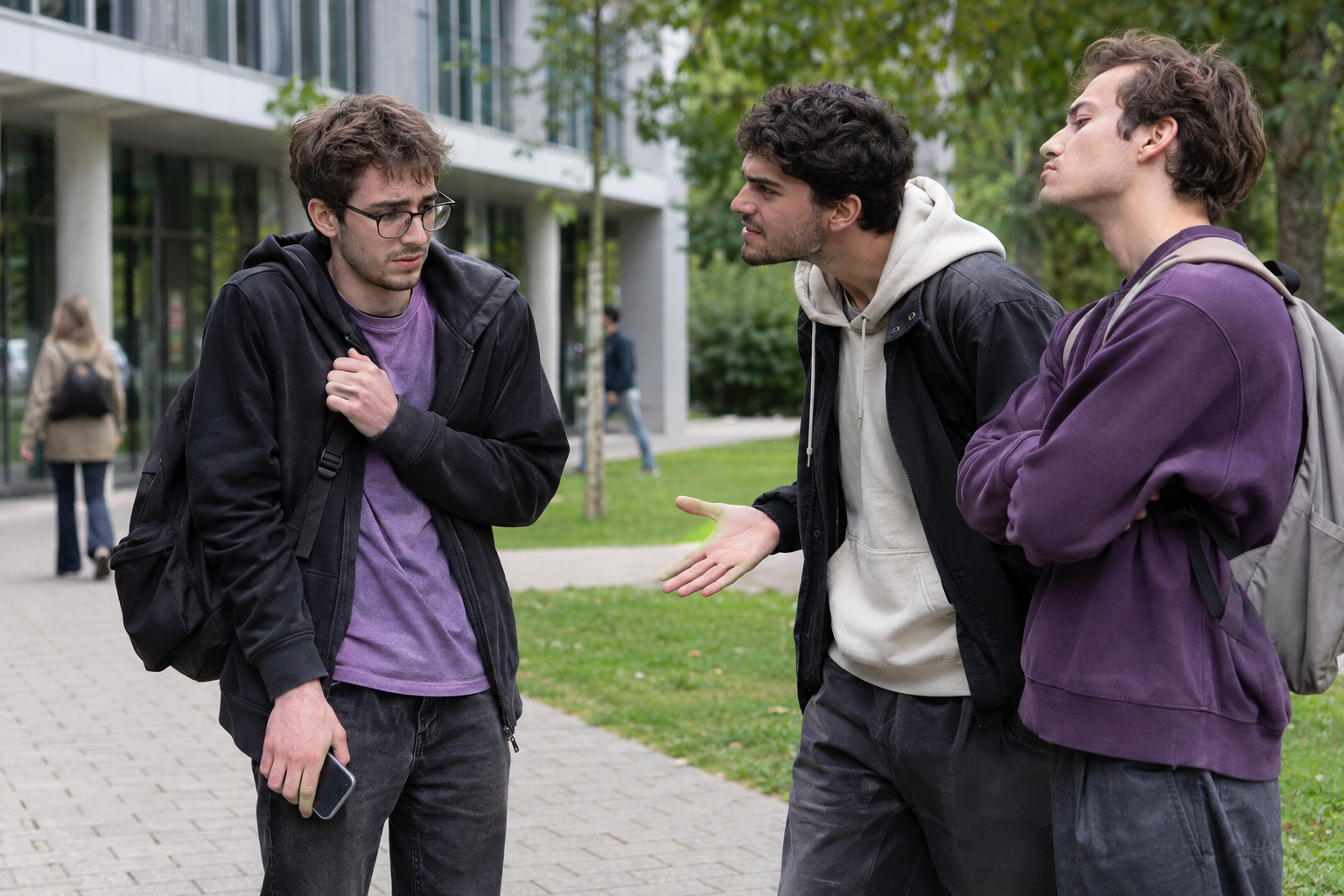
Danger, intimidation or an unexpected incident can leave a person needing support. Help Me Now gives people a way to alert their trusted network and share relevant information.
Threats & personal safetyBullying & intimidation
Illustrative situations showing personal safety and assistance needs. Your Helpers and response arrangements are chosen in advance.
01
Families & children
Keep your trusted circle connected.
Parents and caregivers can bring together the people a family relies on, with a clear way to request help, share available location and stay in touch. An appropriate wearable adds a physical assistance control for a child or family member. Setup, contacts and permissions should reflect the wearer’s age and needs.
02
Seniors & caregivers
Independence, with people close by.
An accessible SOS control and regular check-ins help older people stay connected to those they trust. Relatives and caregivers can receive an alert and follow up when support may be needed. Choose a wearable and connection route that suit the person’s mobility, routine and comfort with a phone. Explore support for older people and caregivers ↓
03
Women & personal safety
Your trusted network, within reach.
Help Me Now began with a social purpose: standing against gender-based violence and supporting people at risk. SOS, communication and location sharing offer a way to involve chosen people when a situation feels unsafe, while keeping control of who belongs in that network.
04
Students & young adults
Stay connected as life opens up.
Bring the people you trust with you through study, commuting and independent life. Keep contacts organised, share relevant information when assistance is needed and use a timer for moments when you want someone to know if you have not checked back in.
05
Travellers & people on the move
Familiar people, wherever you go.
When places and routines change, your personal support network still matters. The app brings assistance requests, available position information and communication together, so selected contacts can understand where you are and what support you are asking for.
06
People living alone
A connection through everyday life.
Daily reassurance matters as much as an urgent alert. I Am Alive Check-In gives you a way to confirm you are well, while your chosen contacts know when to follow up. An SOS wearable can make the request for assistance easier to reach at home or outside.
Older people, families & caregivers
A simple way to ask for help. A circle that knows how to respond.
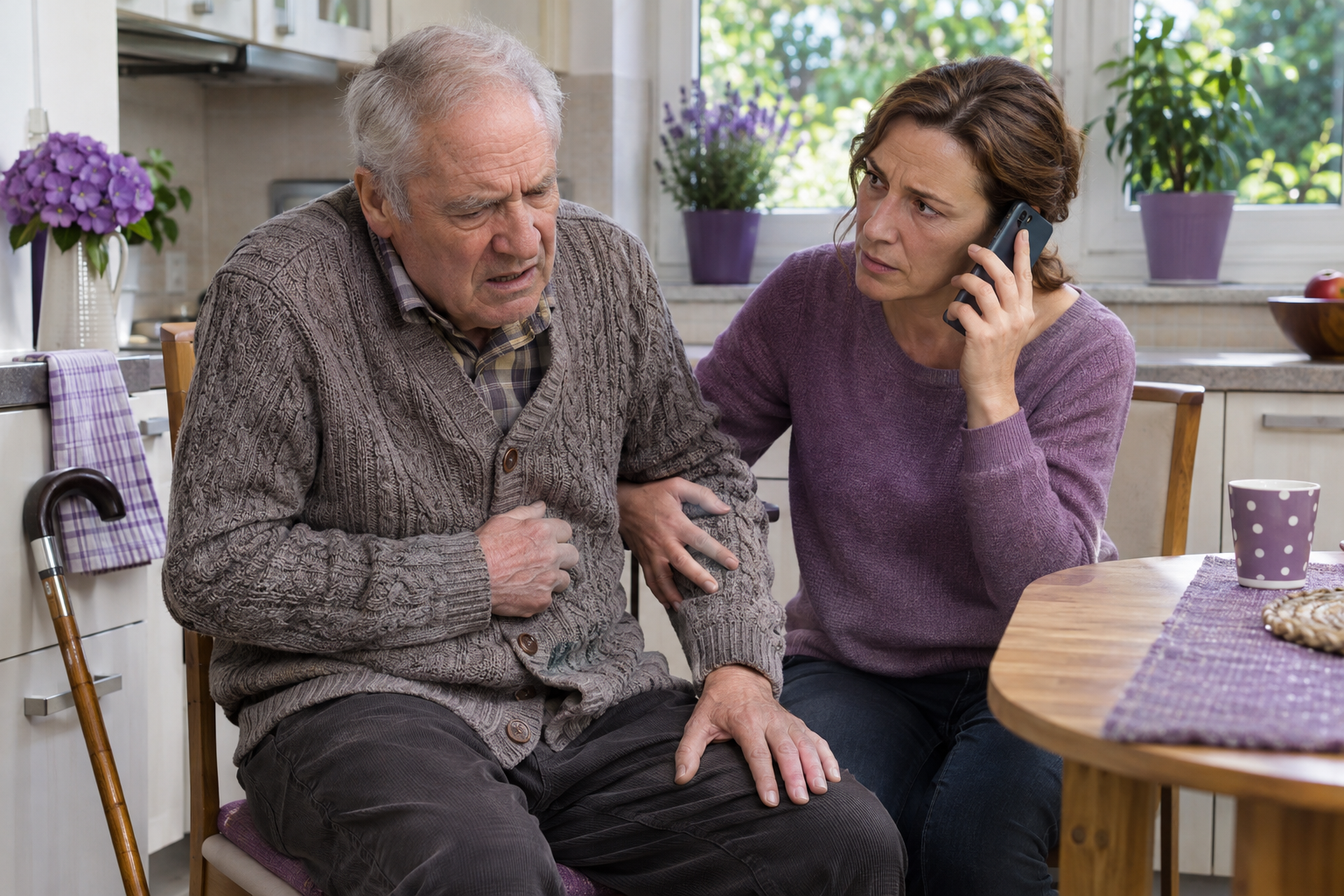
Help Me Now can bring an older person and the people who support them into an agreed personal network. Begin with the Foundation, completely free of charge. Choose optional equipment when it makes asking for help easier.
Illustrative situation of an older person needing assistance. The personal support circle and its response arrangements are chosen in advance.
Designed around the person
Familiar actions. Support agreed together.
A person who finds a smartphone difficult may benefit from a physical SOS control. Someone who already uses the app can request help, make an I Am Alive confirmation or share information with the people they trust.
The choice should reflect the person’s dexterity, confidence and routine. Relatives and caregivers can help with the initial settings, keeping the person involved in who receives their information and what support they want.
Keep the SOS action understandable and accessible. Use the app’s daily check-in when an agreed confirmation is useful, with chosen Helpers knowing what to do if it is missed.
For relatives
Know what each notification means.
An urgent alert, a missed check-in and a routine shared position call for different follow-up. Agree who will try to contact the person and how the family will stay informed.
For caregivers
Share relevant information with the right people.
Helpers and Protected relationships connect the people involved. App communication and the available action history help them follow what has been shared and when.
Choose a setup the person can actually use.
The app works from a supported phone. A compatible Bluetooth SOS control adds a physical button; a home gateway can provide an onward connection inside its installed coverage when carrying a phone is impractical. A supported cellular device offers a separate route outside the home without a paired phone.
Before choosing, discuss button accessibility, comfort, charging and the connection available where the person spends time. Equipment is a one-time purchase, with no Help Me Now subscription. Independent watches use a customer-provided compatible SIM and the customer’s operator.
Agree the follow-up
Who will contact the person?
Choose Helpers who understand their role and the channels they should monitor. Configured SMS and email can notify a Helper who does not have the app installed.
What should be shared?
The person can exclude individual Helpers from non-emergency updates. Maximum HELP is different: all Helpers are notified, including those excluded from routine sharing.
When should someone check in?
Agree an I Am Alive routine and what the selected Helpers should do if confirmation is missing. A check-in is a personal confirmation, not a medical measurement.
The app at no cost is the starting point. If you want a physical SOS control, add a wearable; if the setup needs a home receiver, add a compatible gateway. There is no Help Me Now subscription. The three independent watches use a customer-provided compatible SIM and the customer’s chosen operator.
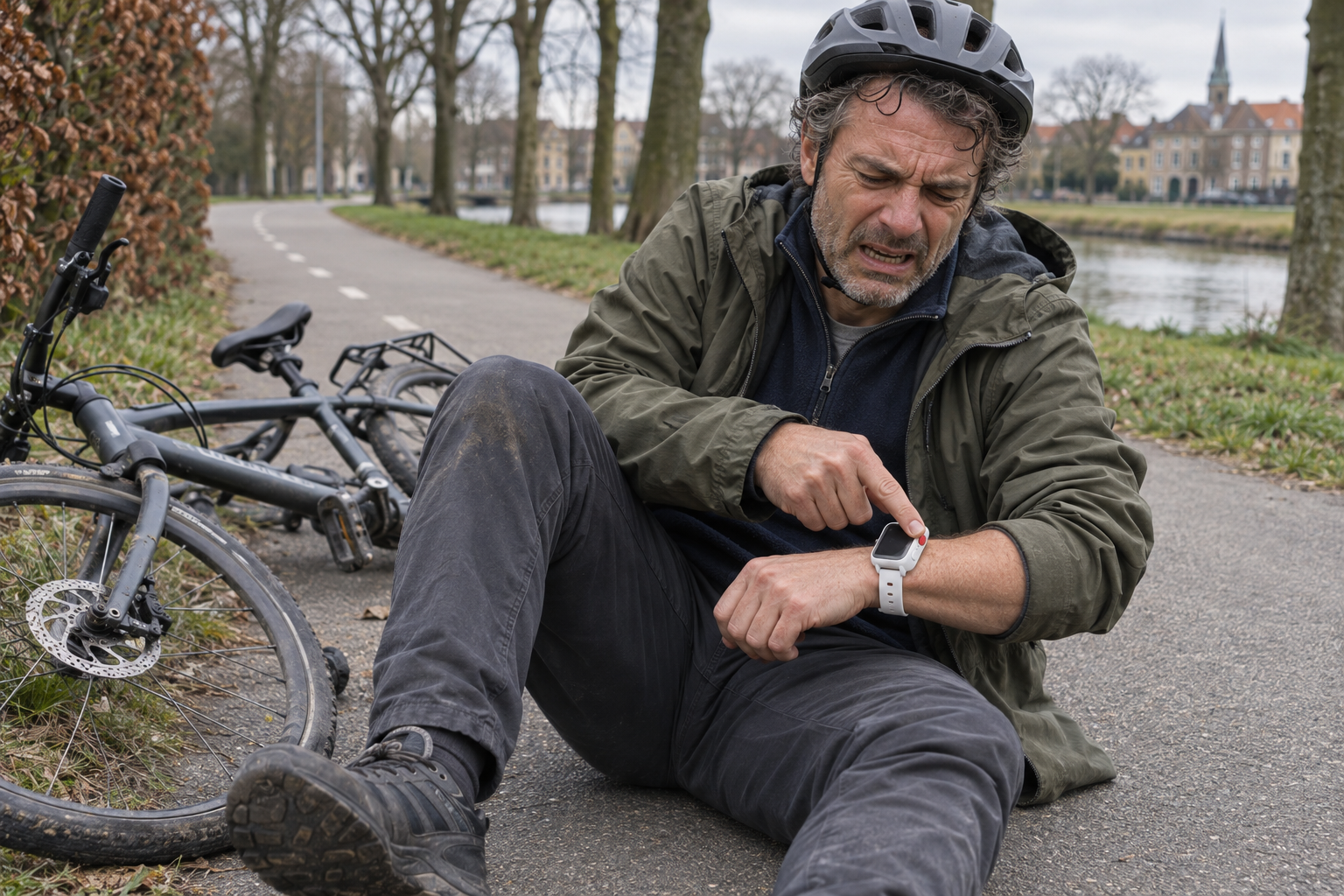
An SOS control on your wrist.
A watch with a physical assistance button, chosen around the wearer’s needs and supported connection.
Illustrative use of an SOS watch. The selected device determines whether a nearby phone, gateway or cellular service is required.
Hardware & prices
Your device. Your connection. A clear price.
Choose the function and connection that fit the wearer. Hardware sales open on 11 January 2027. Explore the devices and VAT-inclusive prices below; the Foundation app is already available, completely free of charge.
Bluetooth devices
The SOS button, SOS card and W8 need a receiver: a nearby phone running the app, or a compatible BLE gateway.
Independent watches
The three cellular watches use their own SIM/eSIM route. They do not need a nearby phone or Bluetooth gateway to send the supported alerts.
01 / Physical SOS · Bluetooth
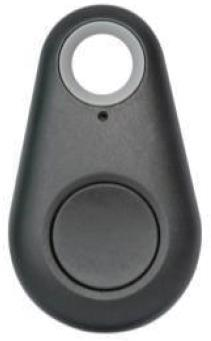
Compact SOS button
€29
One-time price VAT included
No monthly or annual Help Me Now fee.
+ €5 shipping per device · EU only. €10 first account activation, paid once.
Phone app or gateway required
A compact button that lets you request assistance without opening the app. Pressing the physical control sends the event through a compatible receiver to your configured support network.
What it does
Physical SOS control, easy to keep within reach.
Bluetooth connection to a nearby phone running Help Me Now, or a compatible gateway.
When the phone provides the location, sharing uses its available position.
How it connects
SOS button → phone app or compatible gateway → configured alerts.
What you need
A nearby configured receiver, available onward connection and your chosen Helpers.
Printed setup and connection instructions included in the package.
+ €5 shipping per device · EU only. €10 first account activation, paid once.
Phone app or gateway required
A card-format badge with a physical SOS button, worn on a lanyard or alongside a card. An alternative to a wristband when you prefer to keep the assistance control within reach without wearing a watch.
What it does
Physical SOS button in a card-format badge.
Bluetooth Low Energy connection to a nearby compatible phone or BLE gateway.
The receiver provides the onward connection for supported alerts.
How it connects
SOS card → phone app or compatible BLE gateway → configured alerts.
What you need
A compatible configured receiver within Bluetooth range, an available onward connection and your configured assistance recipients.
The card has no independent cellular connection or built-in GPS position service. Supported alerts and receiver compatibility must match the selected setup.
Printed setup and connection instructions included in the package.
+ €5 shipping per device · EU only. €10 first account activation, paid once.
Phone app or gateway required
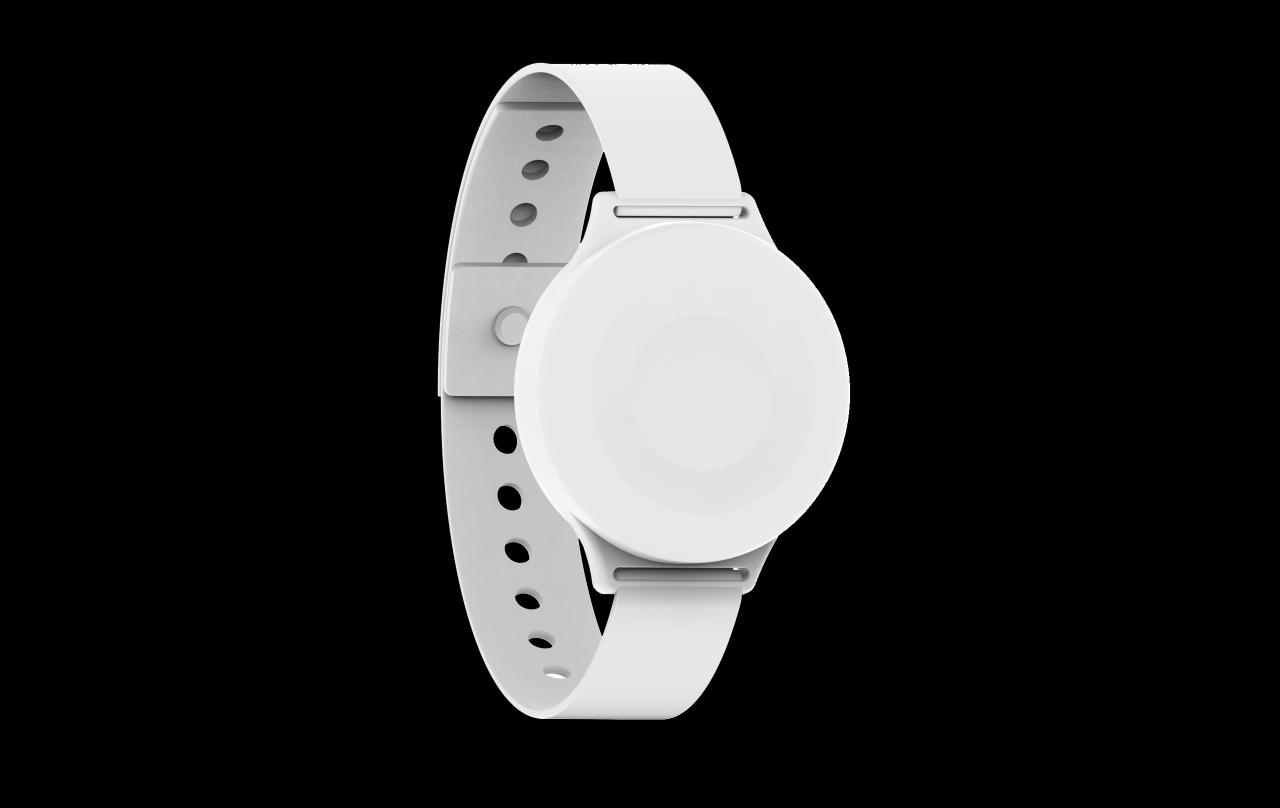
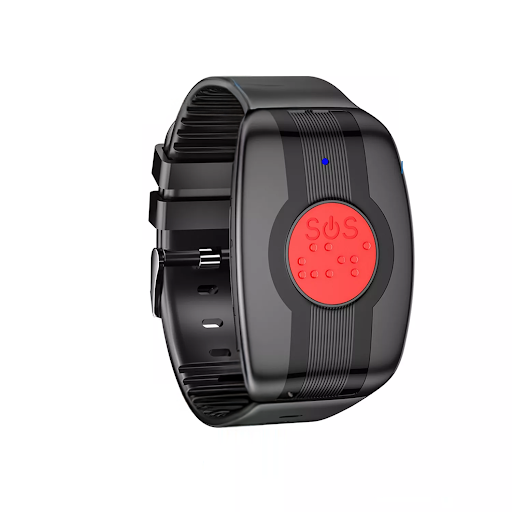
A wrist-worn SOS control for people who prefer to keep the button on their wrist. W8 uses Bluetooth Low Energy to pass the assistance request to a nearby receiver.
What it does
SOS button worn on the wrist.
BLE connection through the phone app or a compatible gateway.
App-based communication and phone-based location sharing where available.
How it connects
W8 → phone app or compatible gateway → configured alerts.
What you need
Keep W8 within the receiver’s supported range. The receiver provides the onward network connection.
Printed setup and connection instructions included in the package.
+ €5 shipping per device · EU only. €10 first account activation, paid once.
Your own SIM · your chosen operator
No nearby phone or gateway needed
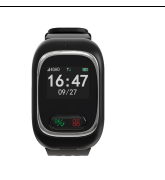
A safety watch with its own GPS and supported cellular connection. It can transmit an SOS and available position without relying on a nearby phone or Bluetooth gateway.
What it does
Physical SOS button.
GPS position, subject to reception and the selected watch’s settings.
Own active SIM/eSIM service for the supported cellular route.
+ €5 shipping per device · EU only. €10 first account activation, paid once.
Your own SIM · your chosen operator
No nearby phone or gateway needed
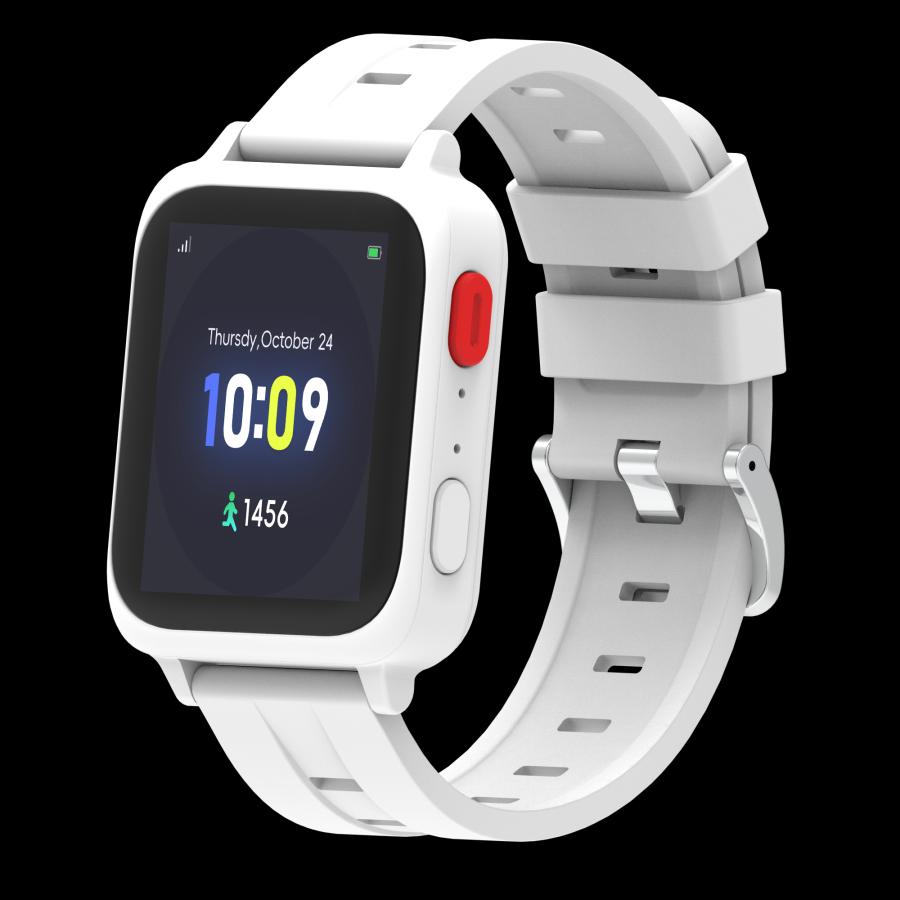
Combines a physical SOS control with body and wellness readings from the chosen watch’s sensors. Its own cellular route allows independent alert transmission; Bluetooth supports compatible companion functions.
What it does
Physical SOS button and independent cellular alert route.
BLE for supported companion-app functions.
Body and wellness measurements from the fitted sensors; the exact readings depend on the supplied model.
How it connects
Watch → its own SIM/eSIM connection → configured assistance recipients.
What you need
Your own compatible SIM/eSIM and your chosen operator’s active service. Confirm which measurements the supplied model provides and how they can be viewed or shared.
Biometric readings are model-specific wellness information. No medical diagnosis or certification is implied.
Printed setup and connection instructions included in the package.
+ €5 shipping per device · EU only. €10 first account activation, paid once.
Your own SIM · your chosen operator
No nearby phone or gateway needed
The Plus configuration adds fall detection to physical SOS and biometric functions. It is intended for people who want an additional way for the device to recognise a potential assistance event, alongside the manual SOS button.
What it does
Physical SOS button for a manual request.
Biometric functions provided by the selected Plus model.
Automatic fall alerts supported by the selected configuration.
Own cellular connection; a nearby phone or BLE gateway is not required for alert transmission.
How it connects
Plus watch → its own SIM/eSIM connection → configured assistance recipients.
What you need
Your own compatible SIM/eSIM and your chosen operator’s active service. Confirm the selected Plus model’s measurements, detection functions and supported connections.
Explosion protection
Certification and suitability for explosive atmospheres are not yet confirmed. They require verification of the manufacturer’s documentation for the exact model.
Fall detection has operating limits and may miss a fall or trigger incorrectly. The catalogue picture is an illustrative device-family reference; the supplied Plus model may differ.
Printed setup and connection instructions included in the package.
+ €5 shipping per device · EU only. €10 first account activation, paid once.
BLE receiver · Internet required
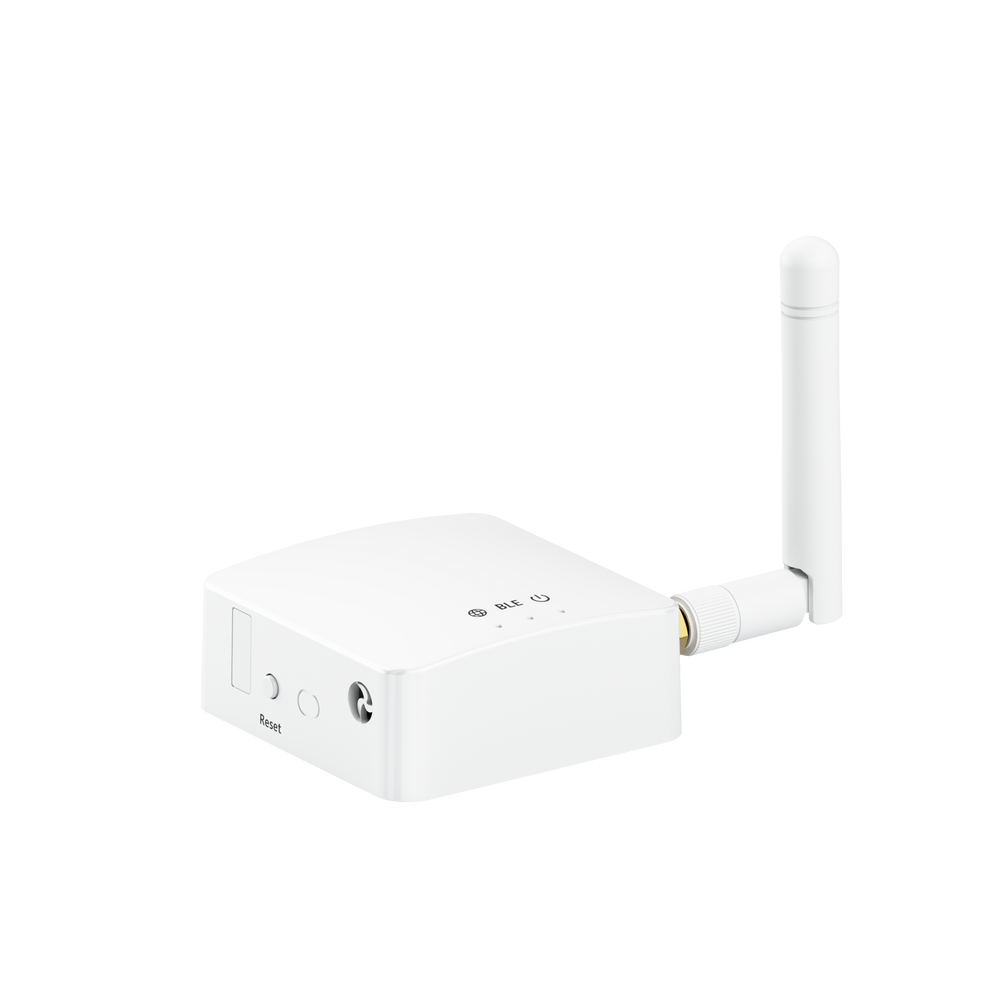
A fixed receiver that connects compatible Bluetooth SOS buttons, cards and W8 wearables to the network. Within its installed coverage, it provides an alternative to using a phone as the receiver.
What it does
Receives supported Bluetooth Low Energy signals.
Forwards events through its available Internet connection.
Supports the selected wearable configuration within local radio coverage.
How it connects
Compatible BLE wearable → gateway → Internet → configured alerts.
What you need
Power, an active Internet connection, compatible paired devices and suitable installed coverage.
Printed setup and connection instructions included in the package.
All shown amounts are in EUR and include VAT. Equipment prices are per device, paid once when sales open. First account activation is €10 once; standard EU shipping is €5 per device, including devices in the same parcel. There is no Help Me Now subscription. The three independent watches use your own compatible SIM and your chosen operator; any carrier charges follow your contract with that operator. A companion app may support setup or additional functions, but it is not the transmission bridge for these watches.
Pictures are device-family references from the SecureNet catalogue. The supplied model determines the precise measurements and functions. Foundation app features are not automatically functions of every watch. The Plus image is illustrative; exact model details are confirmed before supply.
Your personal setup
Simple for the person. Clear for everyone involved.
Choose the equipment around the person’s routine. Start with the no-cost app, add a phone-connected SOS control, or select an independent cellular device. Each route makes clear what you need to buy and how the connection works.
Three ways to connect to Help Me Now
Your choice
How it connects
What you pay for
The app on your phone
Your phone’s supported connection. Your Helpers and app settings.
Foundation €0, free of charge forever. Your normal phone and network costs remain yours.
A Bluetooth SOS control
A compatible nearby phone or an installed gateway provides the onward connection.
The device, and a gateway if chosen. The Foundation’s core features stay free of charge.
An independent cellular wearable
The selected device uses its own supported cellular route.
The one-time device price. Your own SIM and your operator’s charges. No Help Me Now subscription.
Choose around the wearer. Check comfort, button accessibility, charging and whether a phone is normally nearby. For a child, adults should manage contacts and sharing permissions under the applicable app terms. Confirm the exact functions, equipment, connectivity and service terms before choosing.
Hardware sales from 11 January 2027 · VAT included
Hardware. One activation. No monthly Help Me Now fees.
The Foundation stays completely free of charge, forever and for everyone. Explore optional hardware at the VAT-inclusive price shown on its card. Sales open on 11 January 2027. First hardware activation is €10 once per account; standard EU shipping is €5 per device. There is no monthly or annual Help Me Now subscription.
Use your own compatible SIM in the GPS & SIM, biometric and Plus watches. You choose the operator and its plan.
Any SIM, data or messaging charges follow your contract with that operator. They are not a Help Me Now subscription. Active service, coverage and device charge are required.
One account activation: €10, once. Add further compatible devices without another activation fee. Standard EU shipping: €5 per device, even in the same parcel. Printed setup and connection instructions are included in the package. Foundation stays at €0 without buying hardware or paying activation.
For businesses and public bodies
A shared safety vision. A dedicated professional platform.
Help Me Now focuses on people and their personal networks. For employee safety, multiple sites, operational teams and organisational coordination, discover SecureNet by Help Me Now.
We envision a request for help bringing people together around you: the people you trust, a professional assistance centre, community organisations and, in time, AI that helps coordinate the response.
THE AMBITION
Turn a request for help into a clear path to human support, with the relevant information reaching the people who can act.
This chapter describes our development vision. These additional services are not available today; the Foundation and current device options are presented above.
One person at the centre. A network that can grow around them.
Your request and your choices would connect the different parts of the future assistance network.
Your personal network
The people you trust
Your chosen Helpers, with the relationships and sharing preferences you set.
Professional support
An assistance centre
Human operators with a control panel, telephone contact and agreed response procedures.
◎You.
Your request. Your information. Your choices.
Community support
Global Helpers & associations
Participating people and organisations with local knowledge and defined roles.
Later coordination
The AI Agent
A shared understanding of the situation, with communication and follow-up connected.
Concept of the future ecosystem. Personal Helpers are part of the current Foundation; professional and community services, and AI coordination, are future developments.
Someone to contact. A situation someone can follow.
A planned professional assistance service would connect a supported app or wearable to a contracted assistance centre. An operator would receive the request with the information needed to begin a personal follow-up.
A human conversation when it matters.
The operator would attempt to call you, understand what is happening and work through the agreed response procedure. Available location, contact details and shared information would help give that conversation a starting point.
If you cannot be reached or urgent help is needed, the procedure could include contacting the appropriate emergency services and passing on the available information.
A control panel with continuity.
The planned operator console would keep the alert, contact attempts and relevant updates together. A person handling the case could follow its progress and hand it over with its context, keeping the relevant information available as assistance continues.
The service would define who handles a request, how escalation works and what happens when a contact attempt receives no answer.
01
Receive the request
The panel brings the alert and available information to an operator.
02
Contact the person
The operator attempts a telephone conversation and reviews the situation.
03
Arrange the next step
Follow the agreed procedure, including emergency-service contact when appropriate.
04
Keep the context
Record the contact attempts and updates needed for continued follow-up.
A future professional service, chosen separately. Provider agreements, territories, operating hours and service procedures will define its scope before launch. This private assistance centre is distinct from public emergency services and is not yet part of the current offer.
02 / Global Helpers & associations
Help begins with people. Its reach can grow through a community.
The Global Helpers vision would connect personal networks with participating volunteers, mutual-aid associations, NGOs and selected support organisations.
A fictional illustration of community assistance. It does not depict an existing Help Me Now responder service or a confirmed partner.
Local knowledge can make support more relevant.
Participating Helpers could bring knowledge of the area, language and community resources. Associations could contribute the experience and support appropriate to their role, including work with older people, disability and vulnerability.
The aim is to help a request reach suitable people and organisations according to agreed responsibilities, participation and availability.
A wider network with clear boundaries.
The network would define how participants join, which information they can access and how they coordinate with a professional centre when one is involved. Identity checks, consent and clear escalation rules would shape participation.
Community assistance would complement personal support and the appropriate professional services. The person asking for help would remain central to the sharing choices.
A Local Safety Wall
A moderated space could connect useful local information with practical assistance: relevant notices, community support and updates that remain current for a defined period.
Associations and care coordination
Future pilots could explore agreed visits, reminders and confirmations between an assisted person, their family and participating caregivers. Each role would see the information needed for its part in the support arrangement.
Appointments and shared care-coordination tools are proposals for future work; they are not current Foundation features.
03 / Later evolution · AI coordination
An assistant that helps you be understood. A network that shares the context.
Our AI vision is to connect the request, relevant information and participating people into a clearer assistance journey. Human operators and community partnerships can develop first; AI would add a later layer of understanding and coordination.
UNDERSTAND
Explain what is happening
A conversational assistant could help a person describe the situation by voice or text, collect relevant context and identify information still needed. Translation could help users and Helpers communicate across languages.
CONNECT
Bring the right context to the next person
The AI could help organise alerts, shared location and updates, suggesting appropriate follow-up under defined permissions and response rules. Operators would retain oversight of important decisions.
FOLLOW UP
Keep the assistance journey coherent
Summaries and shared updates could help Helpers, associations and the centre understand what has already happened and what action remains, reducing repeated explanations during handovers.
ANTICIPATE
Explore earlier warnings and new devices
Consent-based routines and compatible device signals could support proactive check-ins and context-aware warnings. Smart glasses, AI earbuds, sensors and other supported devices could offer further ways to ask for help.
A further ambition · Authorised voice assistance
An AI chatbot that could call and speak to emergency services.
When applicable law, authorisations and emergency-service arrangements permit it, a future voice-capable AI chatbot could place a call, speak with the emergency operator, and communicate your relevant details, available location and what is happening.
The aim would be to provide a clear account of the request and relevant context when a person needs assistance communicating. Suitable service agreements, data permissions, technical validation and a defined human escalation path would be essential.
Relevant details & available location→An authorised AI voice conversation→The emergency operator
This capability is not available today. The current app’s quick-call function remains a telephone call that you confirm and conduct yourself.
An open starting point
A bigger network. The same commitment.
The Foundation will remain completely free of charge, forever and for everyone. Optional hardware is a one-time purchase. There is no current Help Me Now subscription; the scope of future services will be communicated as they are introduced.
This vision will develop through selected providers, community participation and supported integrations. Availability, coverage and prices will be communicated as each service is introduced.
Frequently asked questions
A clearer picture. Before you get started.
The essentials about the app, Helpers, wearables and your personal setup. Every answer is available below as you scroll.
What is Help Me Now?
Help Me Now is a personal safety app and connected wearable offering for individuals, families and caregivers. It brings SOS requests, trusted Helpers, available location information, communication and everyday check-ins together around the person.
Is the app free of charge?
The Help Me Now Foundation and its core safety features remain completely free of charge forever. Optional hardware is a one-time purchase. There is no monthly or annual Help Me Now subscription. The independent watches use your own compatible SIM; any carrier charges are paid under your agreement with your operator.
Who are my Helpers, and can I choose who sees my location?
Helpers are the trusted people you choose. You can exclude individual Helpers from non-emergency sharing: for example, let friends see your routine position while leaving parents out. Maximum alarm notifies all your Helpers, including those excluded from routine sharing. Agree how they should follow up and keep their contact details current.
Do my Helpers need the app?
No. Configure their phone number, email address and the relevant SMS and email options: they can receive those notifications without installing Help Me Now. App-based chat and maps require app access. Delivery depends on valid details, settings, permissions and available services.
What is the difference between SOS and Notify Helpers?
There are two alarm levels. Maximum alarm (HELP) means “I’m in immediate danger.” Minimum alarm (Notify Helpers) means “I may be in a dangerous situation.” Configure your Helpers and alert channels beforehand, and follow the current in-app instructions for the activation and confirmation steps.
How are Safety Timer and I Am Alive Check-In different?
Safety Timer is for a defined period: you set a time and confirm you are safe before it expires. I Am Alive Check-In is for a daily or periodic confirmation of wellbeing. If the expected action is missed, the configured Helpers can be notified according to your settings.
Which devices need the app or a gateway?
The €29 SOS button, €39 SOS card and €39 W8 need a nearby phone running Help Me Now, or a compatible BLE gateway. The three cellular watches use their own active supported SIM/eSIM connection and do not need a nearby phone or BLE gateway for supported alerts. Cellular coverage, charge and correct configuration are still required.
Are there wearable options for children and seniors?
Yes. The device choice should reflect the wearer’s age, fit, ease of use and communication needs. Parents or caregivers can discuss the appropriate SOS control, connection route and contact setup with the team. App accounts and data sharing must follow the applicable age requirements and terms.
Does every wearable include GPS, fall detection and health readings?
No. These are model-specific capabilities. Bluetooth SOS devices, cellular location devices and advanced or biometric wearables serve different needs. Confirm the exact functions and connected services for the selected model. Wellness readings do not replace professional medical assessment.
What if the phone or device has no connection?
A remote alert needs a working supported route. Bluetooth requires a nearby connected receiver; cellular devices require coverage and an active service. SMS or another configured channel may help where available, but no route provides universal coverage. Check charge, permissions and connections regularly.
Does Help Me Now replace calling emergency services?
No. In an emergency, call the appropriate local emergency number when you can. The app supports personal alerts and communication; it does not guarantee that a contact has read an alert or that an emergency service will respond. Future authorised integrations are described separately below.
How do I get started or choose a wearable?
Download the app, review the tutorial, choose your Helpers and configure permissions and alerts. For a wearable, tell us who will use it and whether a phone will normally be nearby. The team can explain device options, connectivity, setup and any separate service costs.
What can I share, and whose action history can I see?
File Manager lets you share supported photos, videos, voice messages and files in chat. The app records your actions and your connected Helpers’ actions with their date and time, within the conversations and information shared with you. Your profile also provides your own action history.
Can the no-cost app include advertising?
Yes. Help Me Now can include advertising, service updates and public-interest messages in its app communication area. The Foundation’s core safety features remain free of charge forever. This website does not add advertising trackers or ad embeds.
How does the quick emergency call work?
The app lets you start a telephone call to the appropriate local emergency number. Confirm the call when required and speak directly with the emergency operator. This is separate from notifications to your Helpers and does not mean a professional centre is automatically monitoring your alerts.
Do I pay a subscription, and who provides the SIM?
Hardware sales open on 11 January 2027. There is no Help Me Now subscription: pay the device price, €10 first account activation once, and €5 shipping per device within the EU. All shown prices include VAT. Further devices do not incur another activation fee on an already activated account. Independent watches use your own compatible SIM and operator; carrier charges follow that contract. Foundation remains completely free of charge. The future professional assistance centre is in development and is not part of the current offer.
Start with Help Me Now today
The app is completely free of charge. Hardware sales open on 11 January.
Foundation is already available at €0, forever. Explore optional hardware ahead of the 11 January 2027 launch, with no monthly or annual Help Me Now fee.
Equipment, one account activation and delivery: each item is shown separately. Standard shipping costs €5 per device, including devices sent in the same parcel. Sales and delivery will initially cover the European Union.
€10 activation. Once per account. Connect further compatible devices without another activation charge. If already activated, provide your account email so we can verify this before payment.
Setup instructions in the package. Printed configuration and connection instructions are included. The button and W8 need the app or a compatible gateway; the three independent watches use your own compatible SIM.
Opening on
Prepare your selection and explore the full checkout below. Orders and payments are closed until the hardware launch. You can request a non-binding reservation for our first shipments.
Talk to Help Me Now.
For app support, device compatibility or a family and caregiver setup, contact our team.